Objective
To begin implementing the view layer of the app you have chosen to build this year.
Requirements
TIP
During the planning and implementation phases, you may refer to SwiftUI Views Quick Start, prior code you have written, and the course website.
You may not make use of a large language model or other AI tools. You may not communicate with other students while coding.
Thinking
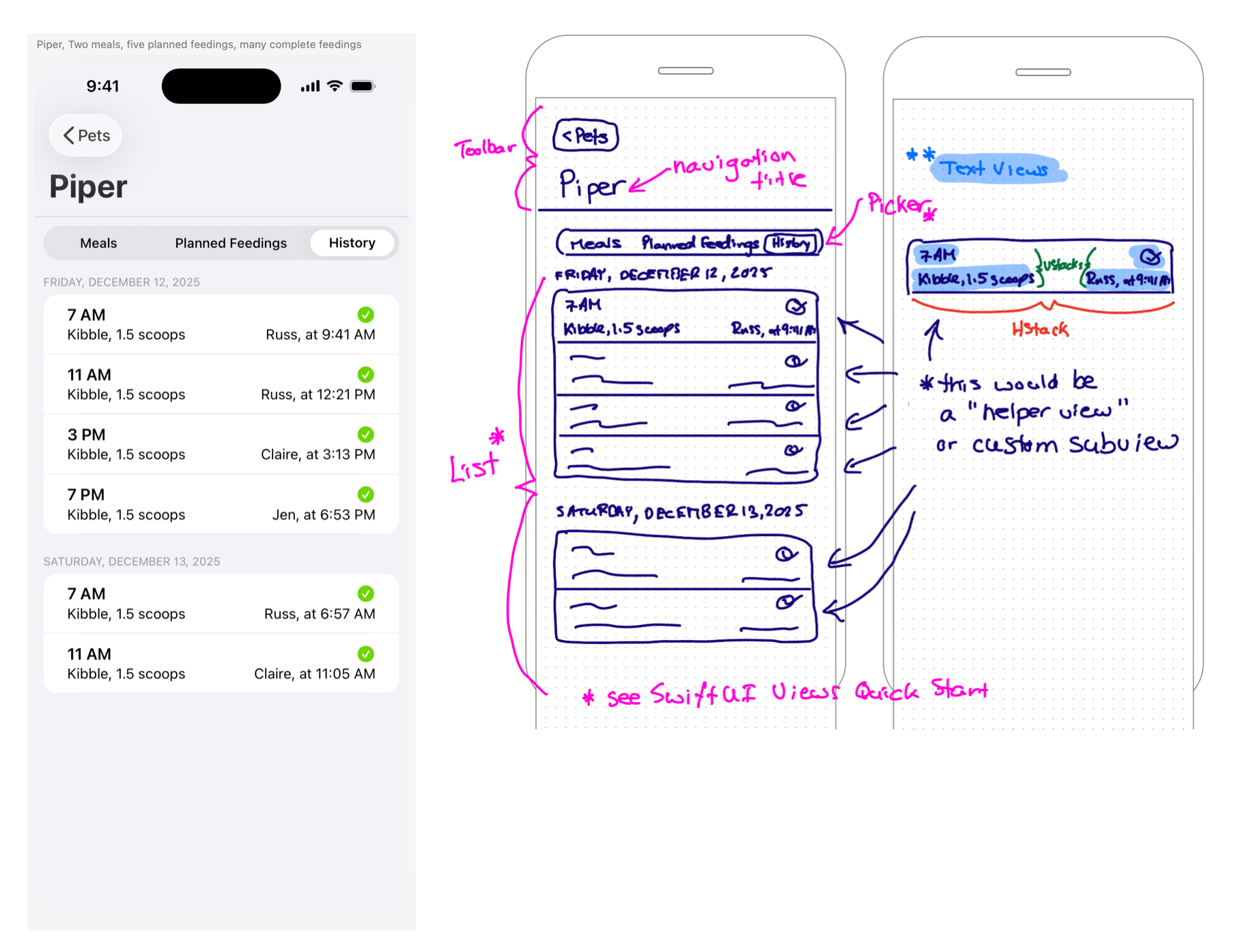
- From your app prototype made in Sketch earlier this year, working in class with a screenshot of a view selected by Mr. Gordon, you will author a rough plan, showing what stacks (H, V, and Z) and other views you plan to use.
For example, if this was the interface selected by Mr. Gordon, a plan with suitable levels of detail looks like this:
TIP
If your own app prototype from last mod was incomplete – this applies to only a small number of students – Mr. Gordon will assign an interface from a different app for you to implement.
Application
- In Xcode, without assistance from peers or AI tools, implement your plan for a given view in code.
- Make appropriate use of source control, committing and pushing your work regularly.
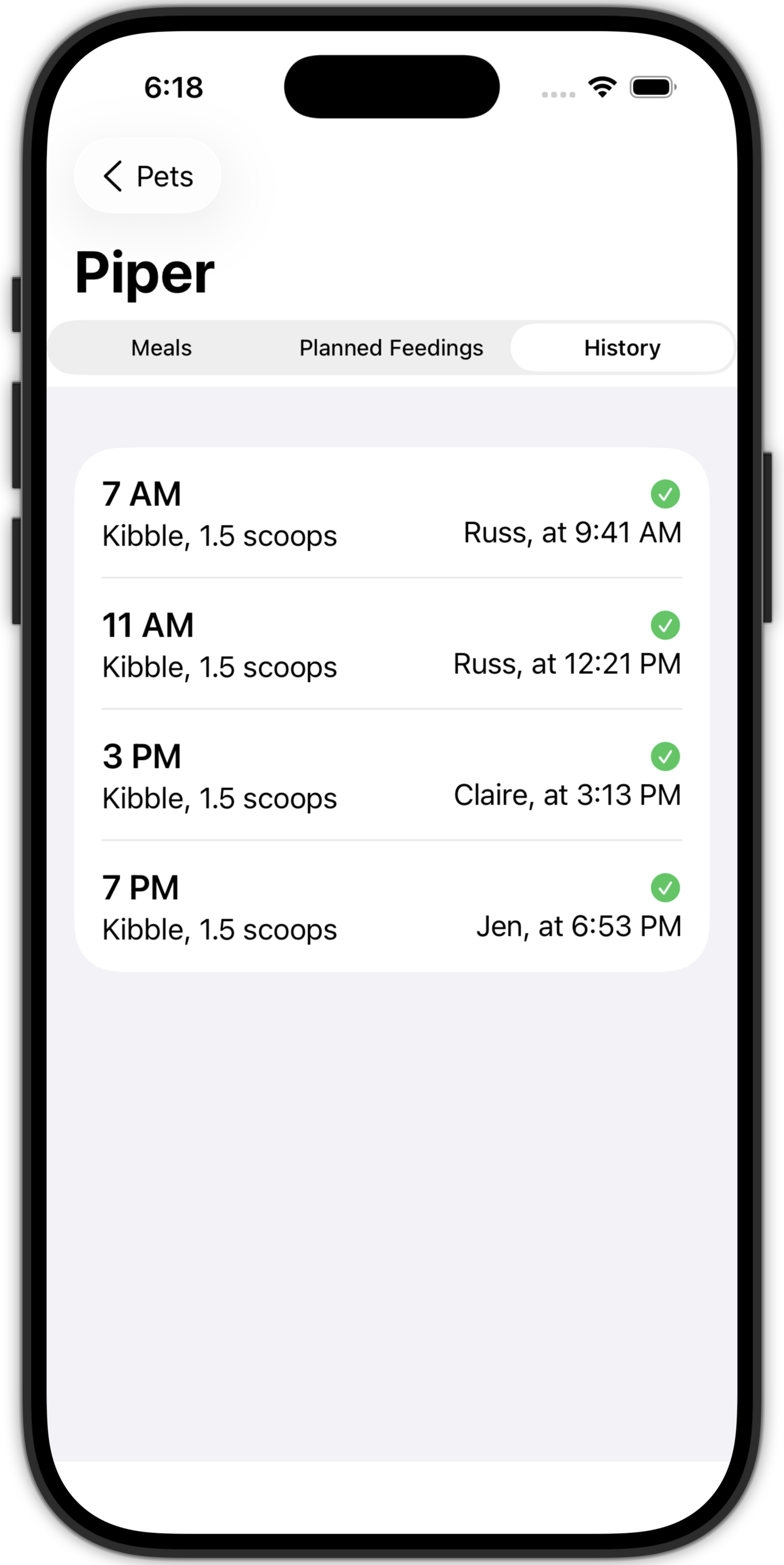
For example, a largely successful, if not completely perfect, implementation of the same view discussed above might look like this:
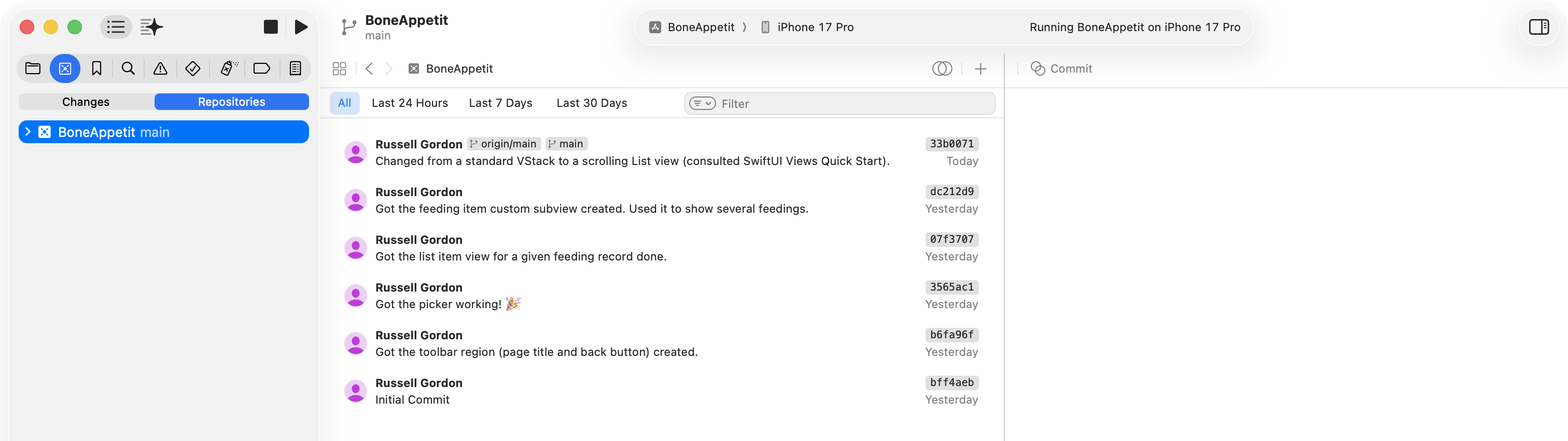
Effective of use of source control is shown through regular commits made with descriptive messages:
Communication
- Record and submit a maximum one-minute screencast explaining how one or both of your views makes use of custom subviews to reduce duplicated code while allowing different content to be displayed.
- Be certain you make reference to parameters and arguments in your explanation.
Timing and due dates
First class
Complete one plan, and one view implementation, as described in the Thinking and Application sections above.
Before you start, submit your remote repository link to Mr. Gordon here. We will also discuss how to do this at the start of the first class.
Second class
Repeat the same process, this time with a different view.
Complete one plan, and one view implementation, as described in the Thinking and Application sections above.
TIP
Mr. Gordon will grade only the better of your two results across the first and second class, ignoring whichever day was less successful.
Third class
Record and submit your one-minute screencast.
Submitting your work
Paper plans will be collected by Mr. Gordon at the end of the first and second classes.
Code will be submitted by committing and pushing to a remote on GitHub – you will send the repository link to Mr. Gordon through a Google form.
Your screencast will be submitted to Mr. Gordon through this Google form.